Kids’ Robot Alarm Clock: Calm Bedtimes, Easier Mornings
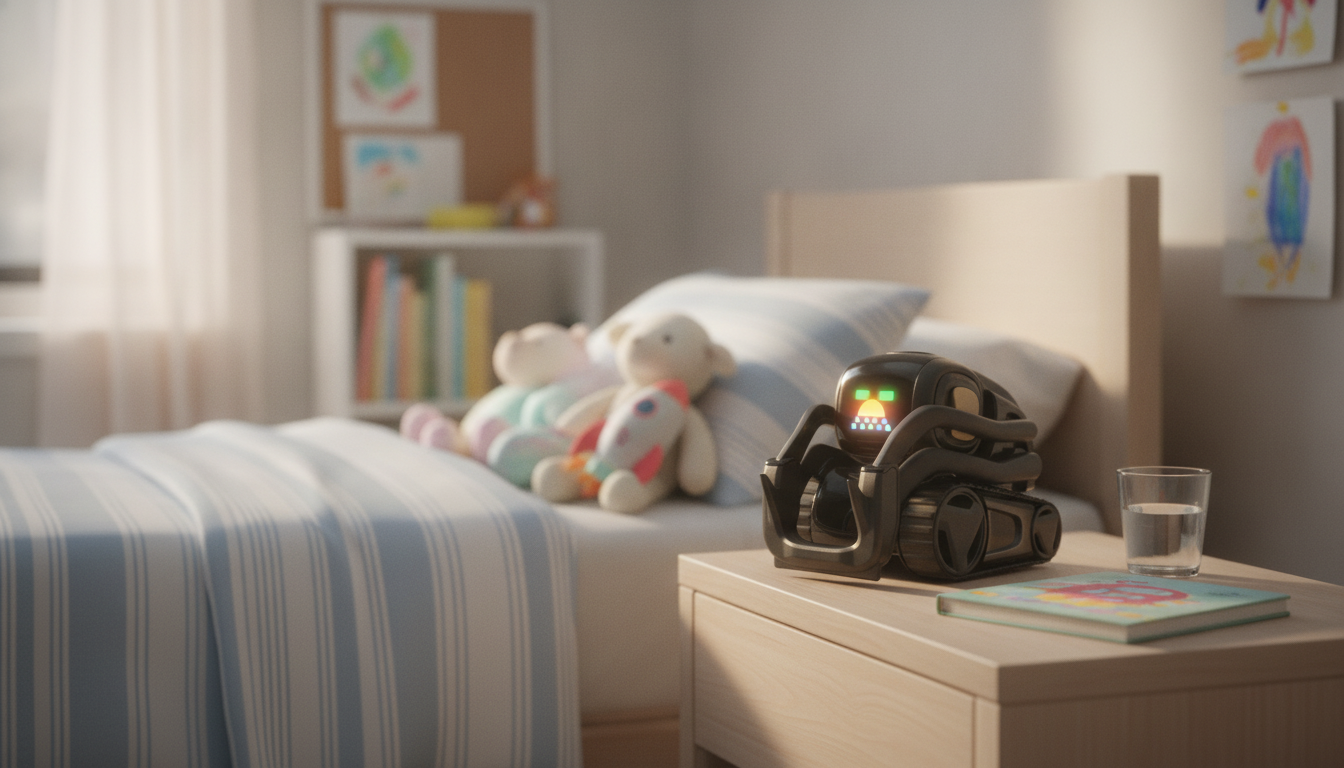
Smart AI Robot Companion & Alarm Clock for Kids: A Calmer Bedtime and a Happier Morning
A kid-friendly robot companion that also works as an alarm clock can turn stressful bedtimes into predictable routines and help mornings start with fewer reminders. The right device balances fun interactions with practical features like gentle wake-ups, simple controls, and parent-friendly settings—so your child feels supported without the bedroom turning into a play zone at midnight.
What This Robot Companion Alarm Clock Is Designed to Do
A robot-style bedside clock isn’t just a cute gadget. When it’s designed well, it becomes a consistent “third cue” in the room—right alongside the parent and the routine—helping kids understand what happens next.
- Support consistent sleep and wake routines with an easy-to-understand clock and alarm experience.
- Add a friendly companion element that encourages kids to follow bedtime steps without power struggles.
- Provide a single bedside device instead of separate toys, clocks, and nightlight-style helpers.
- Fit common child-development needs: reassurance at night, motivation in the morning, and simple habit-building.
Sleep needs vary by age, but consistency is a common denominator. If you’re unsure what “enough” looks like for your child, helpful references include the CDC guidance on recommended sleep and the American Academy of Pediatrics sleep resources.
Bedtime Routine Ideas That Work With a Companion Clock
The best routines are simple, repeatable, and boring (in a good way). A companion clock can help “announce” transitions—without you needing to repeat the same reminders over and over.
- Set a predictable sequence: tidy-up, pajamas, brush teeth, story, lights-down, alarm set.
- Use the same wake time daily to stabilize the body clock; adjust bedtime gradually when needed.
- Keep the device placement consistent: on a stable surface, within view but not right next to the pillow.
- Pair the alarm with a morning checklist (get dressed, bathroom, breakfast) to reduce repeated prompting.
- Consider a quiet wind-down window where screens are off and only calm activities happen before sleep.
Simple Routine Template (Adjust by Age)
| Time Block | What Happens | Tip for Parents |
|---|---|---|
| 30–45 min before bed | Bath/pajamas + room reset | Keep lighting warm and dim |
| 20 min before bed | Teeth + last drink of water | Set a final “kitchen closed” reminder |
| 10–15 min before bed | Story or calm chat | Repeat the same closing phrase each night |
| Lights out | Alarm set + goodnight | Avoid negotiations; offer two limited choices |
| Morning | Gentle alarm + get-ready steps | Use a simple visual checklist by the bed |
Key Features to Look For in a Kids’ Robot Alarm Clock
Not every “cute clock” works well for kids. The goal is a device that’s dependable like an alarm clock, but supportive like a routine buddy—without being overly bright, loud, or complicated.
- Alarm experience: gradual volume, friendly sounds, and a snooze approach that doesn’t encourage endless dozing.
- Display and readability: clear time visibility at night without a bright glow that keeps kids awake.
- Kid-proof usability: simple buttons, intuitive prompts, and settings that won’t reset easily after a curious tap-fest.
- Companion interactions: age-appropriate responses, calming options, and non-overstimulating behavior near bedtime.
- Power and reliability: stable charging/power options and dependable alarm performance every morning.
Safety, Privacy, and Household Rules
A smart kids’ device should fit into your household rules—not replace them. A few guardrails up front can prevent the most common frustrations later.
- Place the device out of reach of younger siblings if small parts or accessories are included.
- Use parent-controlled settings when available and keep any pairing or account credentials private.
- Set clear boundaries: bedtime interactions should be calming; energetic play stays in daytime hours.
- If the device connects to apps or networks, review permissions and keep firmware/software updated.
- Avoid using any smart device as a substitute for supervision; treat it as a routine helper.
A practical rule that works for many families: “Robots are for routines at night, and for play after breakfast.” That single sentence can reduce bedtime bargaining while still letting your child enjoy the companion element.
Who This Type of Device Helps Most
Getting Started: Setup and First Week Plan
Smart AI Robot Companion & Alarm Clock for Kids
If you’re looking for a single bedside companion designed to make nighttime routines smoother and mornings more independent, the Smart AI Robot Companion & Alarm Clock for Kids is a gift-style pick that combines daily practicality with kid-appeal. Use it as the “routine anchor” on the nightstand: a predictable goodnight flow, then a gentle wake-up that helps your child start the day with fewer prompts.
For families building broader smart-home routines, you can also explore the Smart Home Robot Vacuum Cleaner with Mop & Automatic Dust Collection—a helpful pairing when “morning independence” includes keeping shared spaces calmer and less chaotic. And if breakfast routines are part of the daily reset, the Multi-Function Electric Waffle & Hot Pot Cooker with Steamer can support simple, consistent morning meals.
FAQ
What age is a robot companion alarm clock best for?
It’s usually a great fit for preschool through elementary ages, but independence level matters more than the number on the birthday cake. Younger kids may still need supervision with settings and any accessories, while older kids can often manage basic alarms on their own.
Will a companion-style alarm clock make bedtime more stimulating?
It doesn’t have to—set simple rules like a calming nighttime mode, limited interactions after lights-out, and a dim display. Save energetic “play” features for daytime so the device stays associated with winding down at night.
How can parents protect privacy with smart kids’ devices?
Review permissions during setup, use strong passwords, and only enable connectivity features you actually need. Keep firmware/software updated and consider doing pairing and account setup in a common area rather than the child’s bedroom.















Leave a comment